Recruitment pipeline
Job applications land in a kanban-style Notion database with columns for stage, role, and recruiter. Drag candidates through the pipeline without leaving Notion.

Sync form responses as structured Notion database pages.
The AntForms Notion integration uses native OAuth to send every form response as a new page in a Notion database, auto-mapping fields to the right property types with zero scripts or Zapier.
Three patterns AntForms customers ship most often, each reachable from the Integrations tab in under two minutes.
Job applications land in a kanban-style Notion database with columns for stage, role, and recruiter. Drag candidates through the pipeline without leaving Notion.
NPS and feedback forms populate a Notion database with rollup formulas that compute average NPS and tag sentiment by product area.
Dietary preferences, t-shirt size, and attendance status become typed Notion properties. Filter by dietary requirements or export a guest list in one click.
A few steps, under a few minutes. No code, no Zapier in the middle.
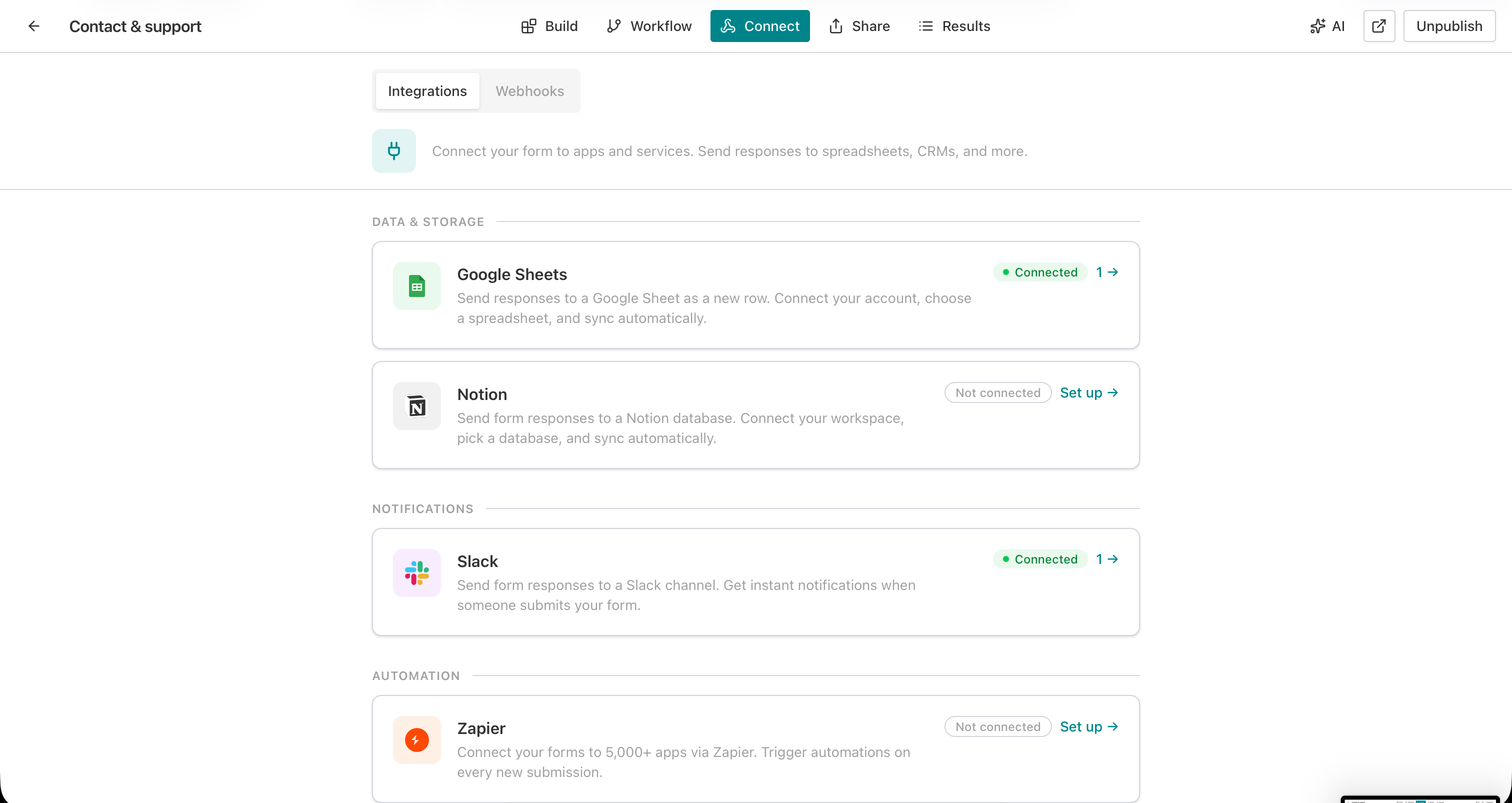
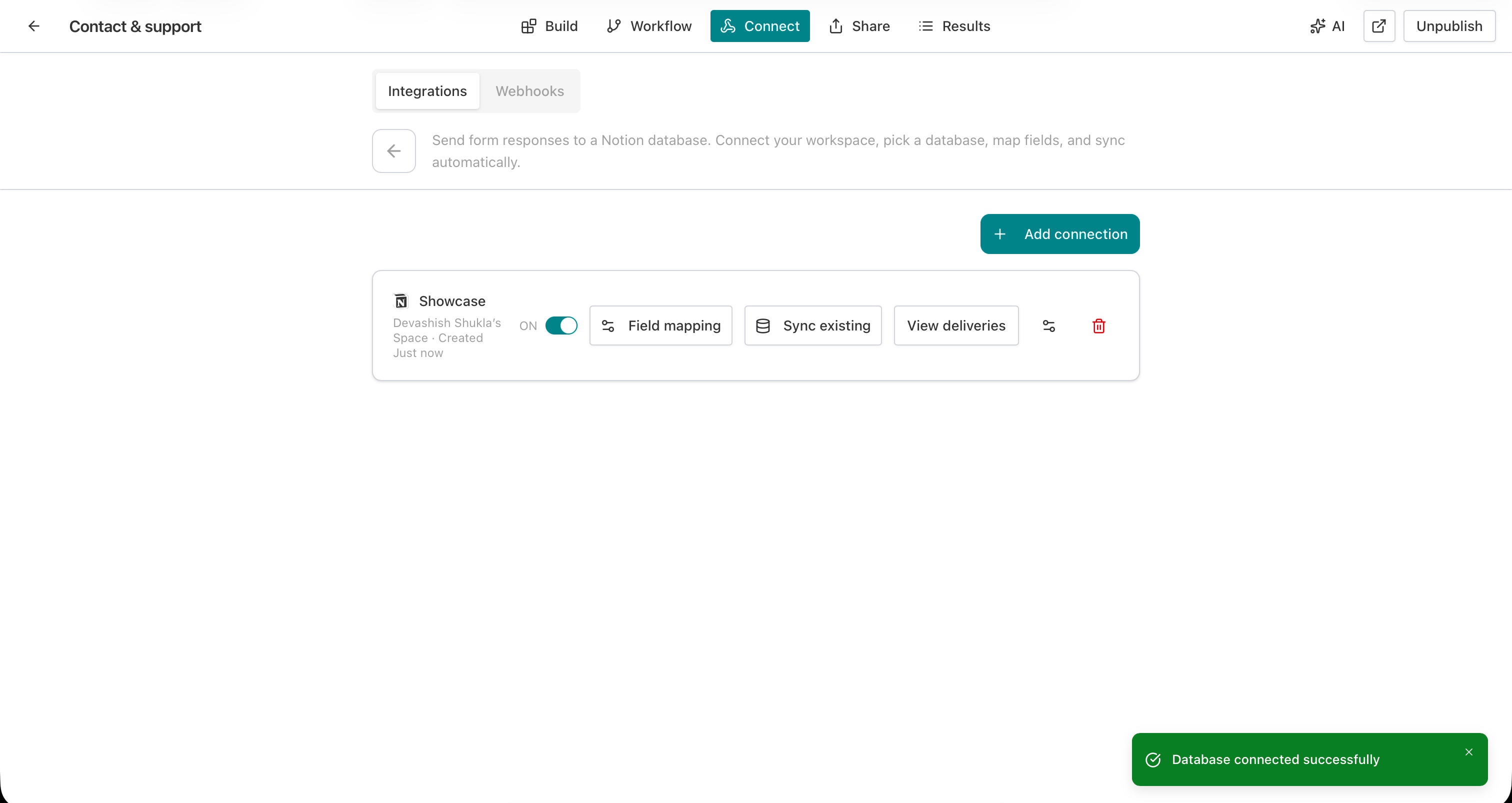
Open the Integrations tab, click Set up next to Notion, and authorize AntForms to access the pages you select.
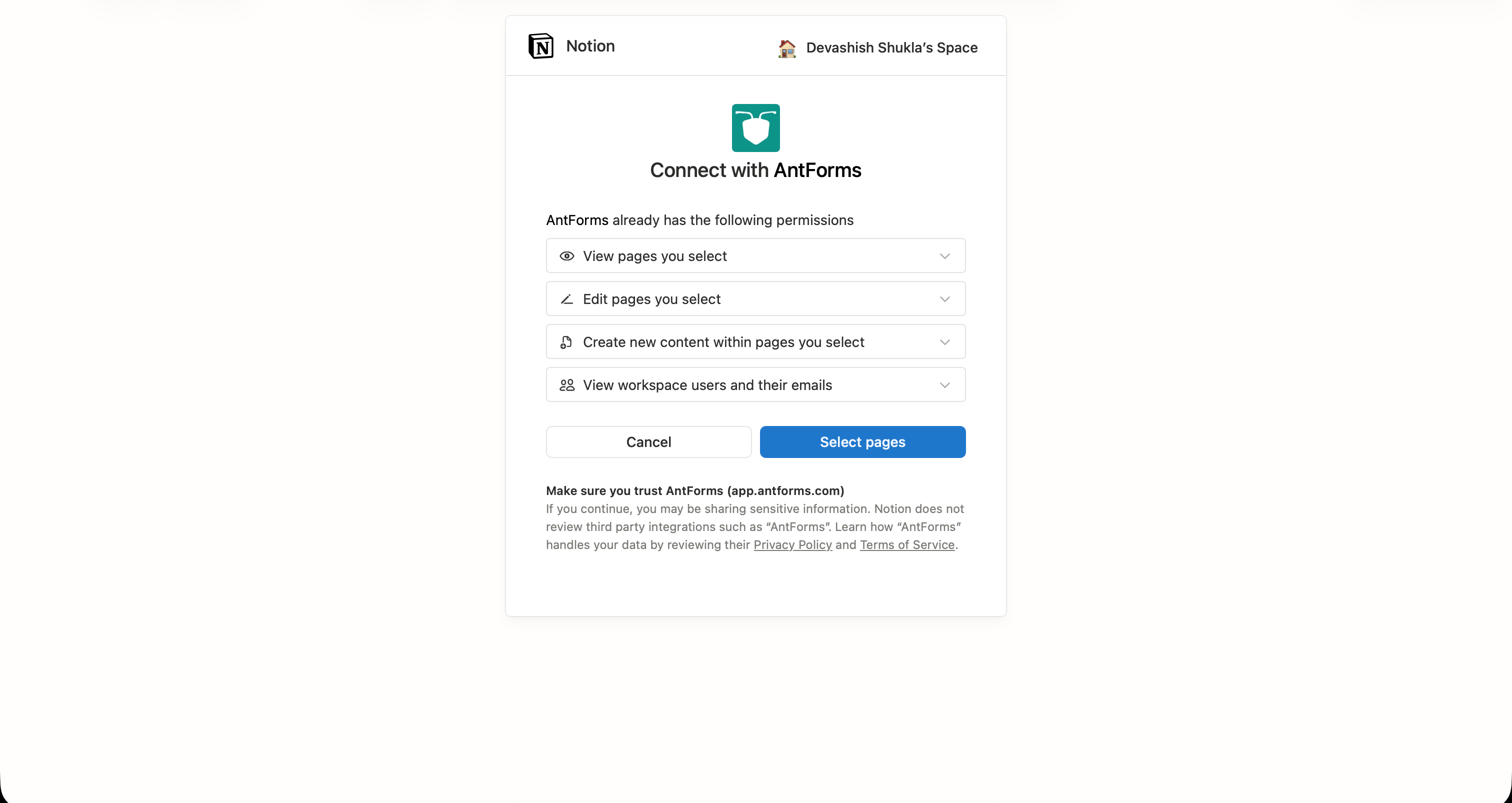
Select the specific Notion pages or databases you want AntForms to access. You can scope access narrowly for security.
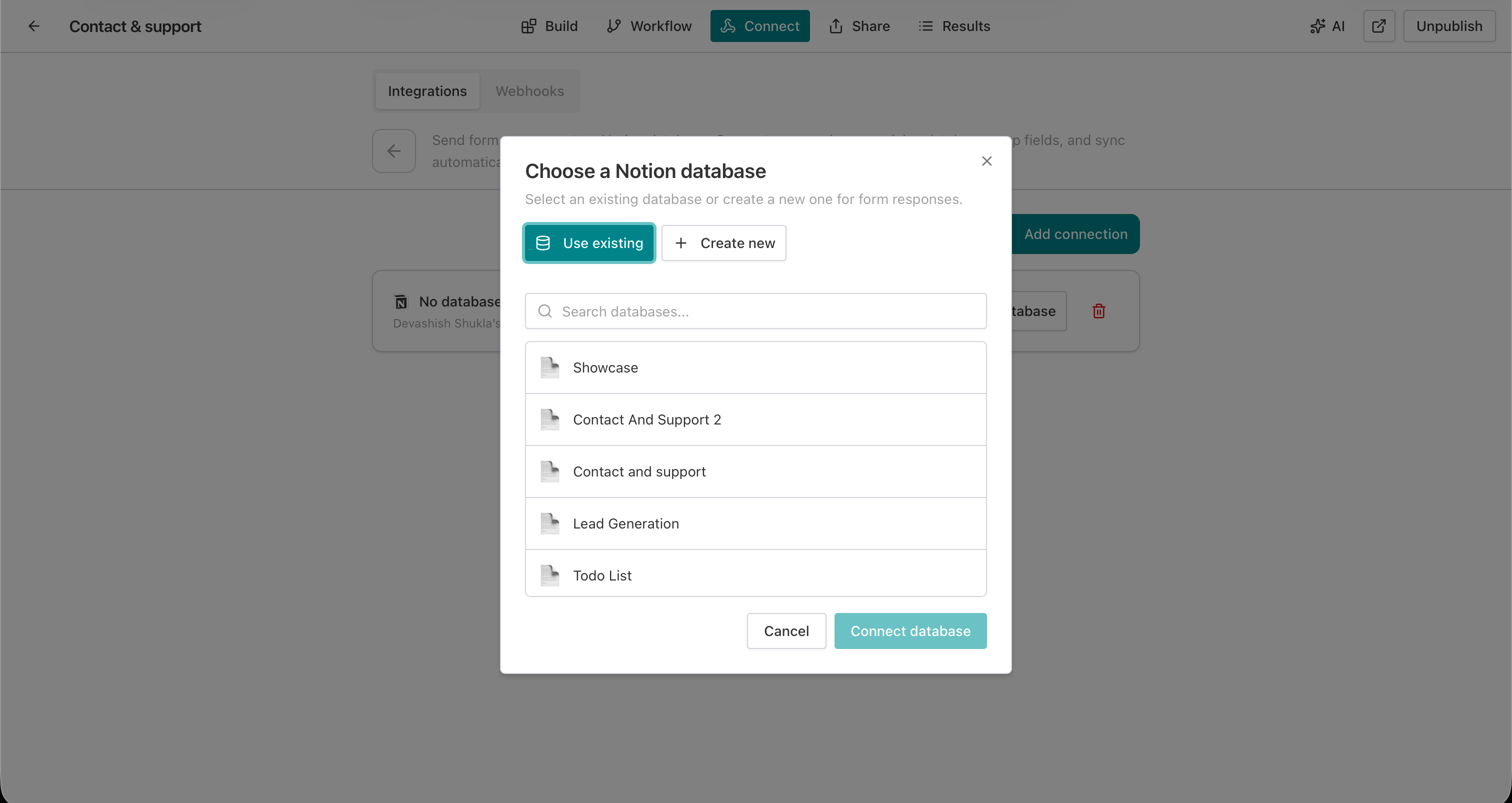
Choose an existing Notion database from the picker, or let AntForms create one with properties that match your form.
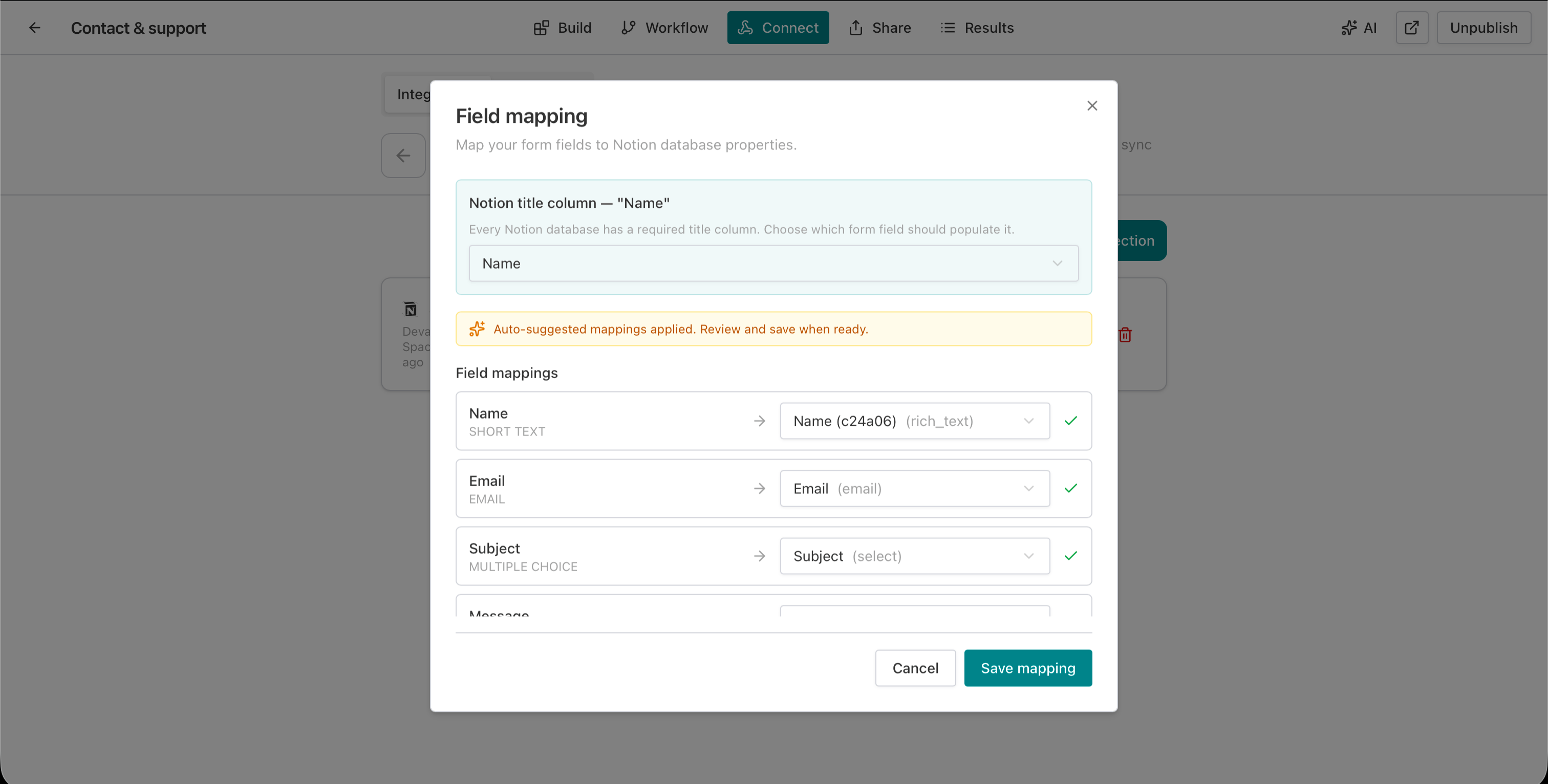
AntForms suggests mappings based on field name and type. Missing Notion properties can be auto-created directly from the mapping screen.
Fill out your form. A new page appears in the Notion database within seconds with every field written to the correct property.
THAT’S IT · NOTION IS LIVE
Every capability ships on the free plan: no paywalls, no metered calls, no per-seat markup.
What the Notion integration does not include, so you can plan around limits before they surface mid-rollout.
The ones we hear most. If yours isn’t here, tell us and we’ll add it.
Something missing? get in touch
In AntForms, open your form editor, go to the Connect tab, click Set up next to Notion, authorize via OAuth, select a database, and map your fields. Every submission creates a new page in that Notion database automatically.
No. AntForms connects to Notion natively through OAuth 2.0. There is no middleware, no Zapier zap, and no third-party automation tool involved.
AntForms maps to rich_text, email, number, select, multi_select, checkbox, url, phone_number, date, and files properties. Read-only types like formula, rollup, and created_by are skipped automatically.
Yes. Each form supports up to 3 Notion connections. You can route submissions to different databases for different teams or workflows.
AntForms retries failed deliveries up to 5 times with exponential backoff starting at 60 seconds. View delivery history with status, attempt count, and error details, and retry manually from the panel.
Yes. The Notion integration is available on the AntForms free plan with no submission caps.
Yes. Each connection has a Sync existing button that sends all previously collected responses to your Notion database. This runs once per 24 hours to prevent duplicates.
Yes. AntForms suggests mappings based on field name and type matching. You can also auto-create missing Notion properties directly from the mapping interface.
Free, unlimited, and connected to Notion in under two minutes.


