Google Ads conversion tracking
Fire a Google Ads conversion tag on form_submit to feed Smart Bidding with real conversion signal. Lower CPA and better budget allocation within 14 days.

Track form funnels with 7 structured dataLayer events.
The AntForms GTM integration pushes 7 structured dataLayer events - views, starts, step changes, field focus, field complete, submissions, and abandonment - so you can wire GA4 funnels, Google Ads conversions, and Meta Pixel leads without custom code.
Three patterns AntForms customers ship most often, each reachable from the Integrations tab in under two minutes.
Fire a Google Ads conversion tag on form_submit to feed Smart Bidding with real conversion signal. Lower CPA and better budget allocation within 14 days.
Wire form_view → form_start → form_step_change → form_submit into a GA4 funnel to see exactly where respondents drop off and which step needs redesign.
The form_abandon event fires when a respondent leaves without submitting. Pass the event to Meta Pixel or Google Ads audiences to retarget with completion reminders.
A few steps, under a few minutes. No code, no Zapier in the middle.
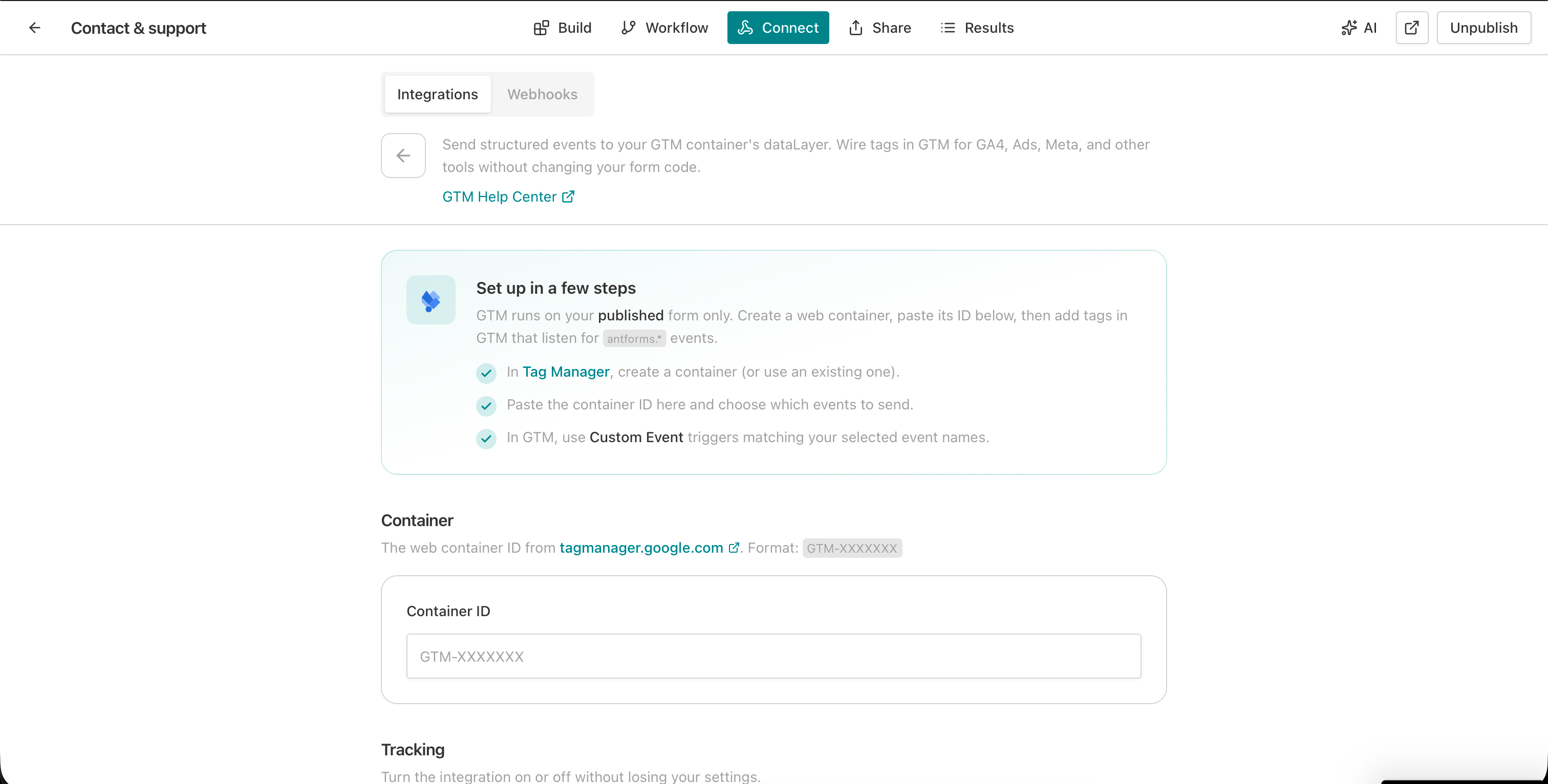
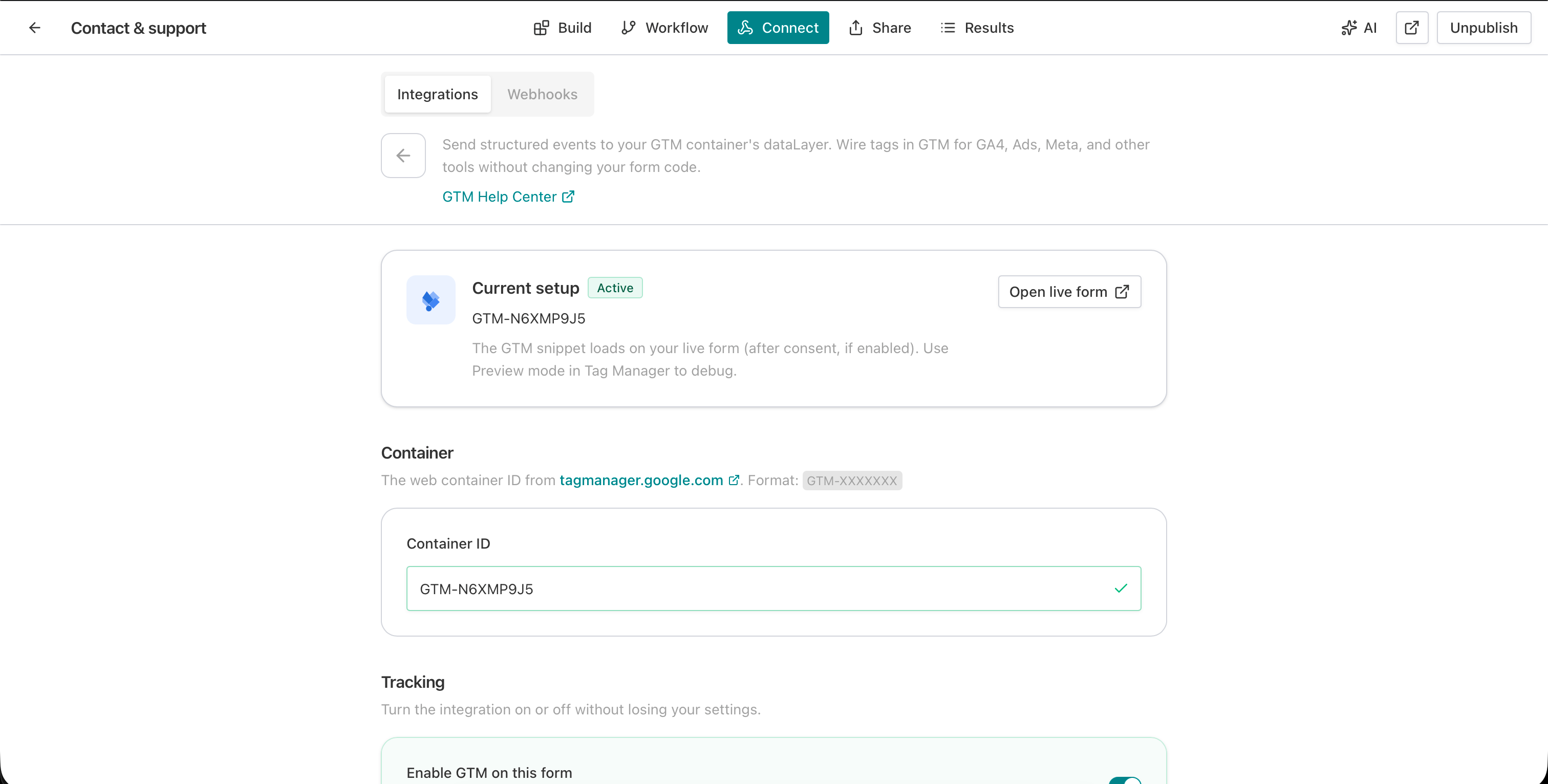
In Connect → Integrations → Google Tag Manager, paste your container ID (format: GTM-XXXXXXX).
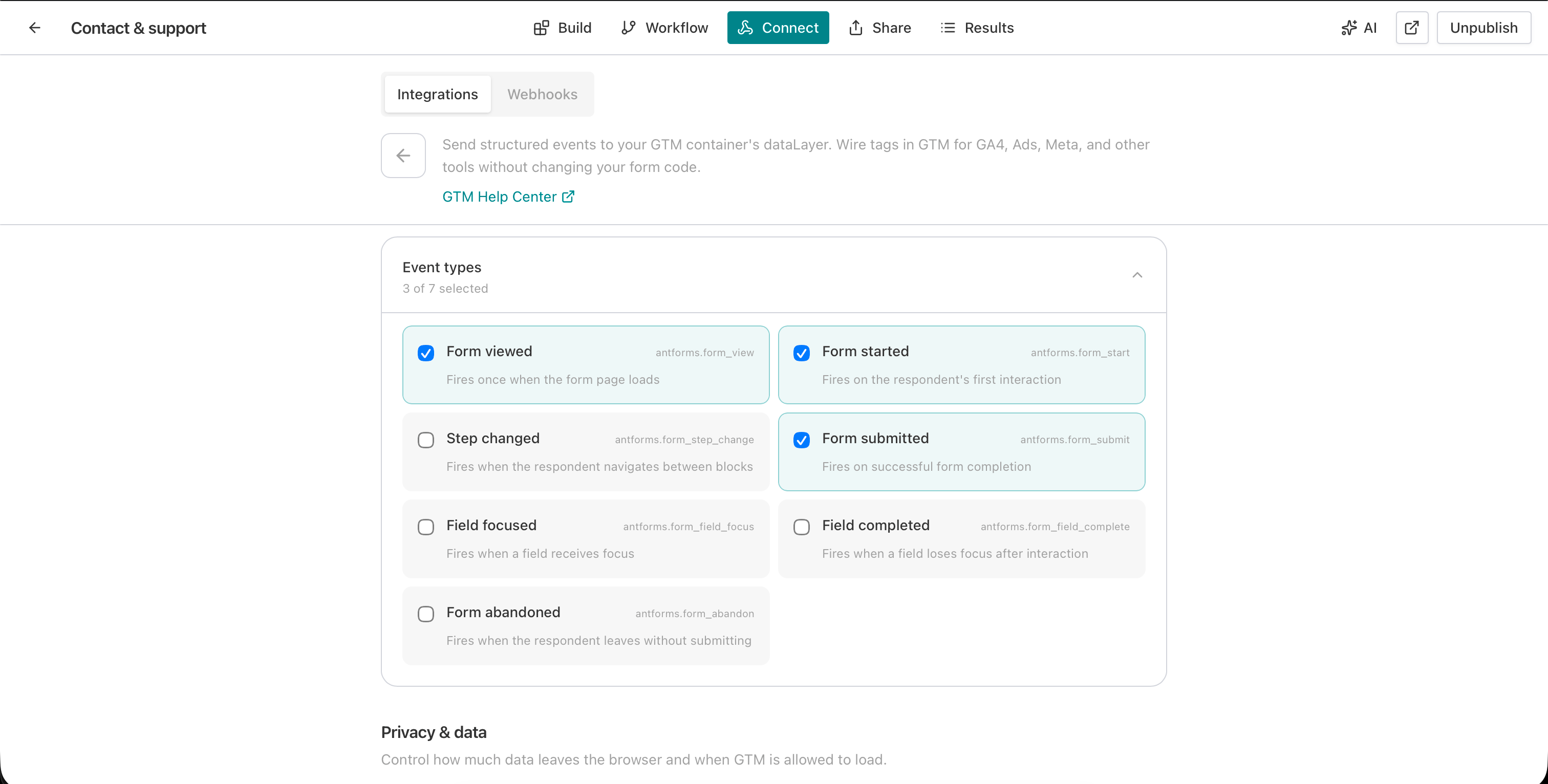
Choose which of the 7 events to track: form_view, form_start, form_step_change, form_field_focus, form_field_complete, form_submit, form_abandon.
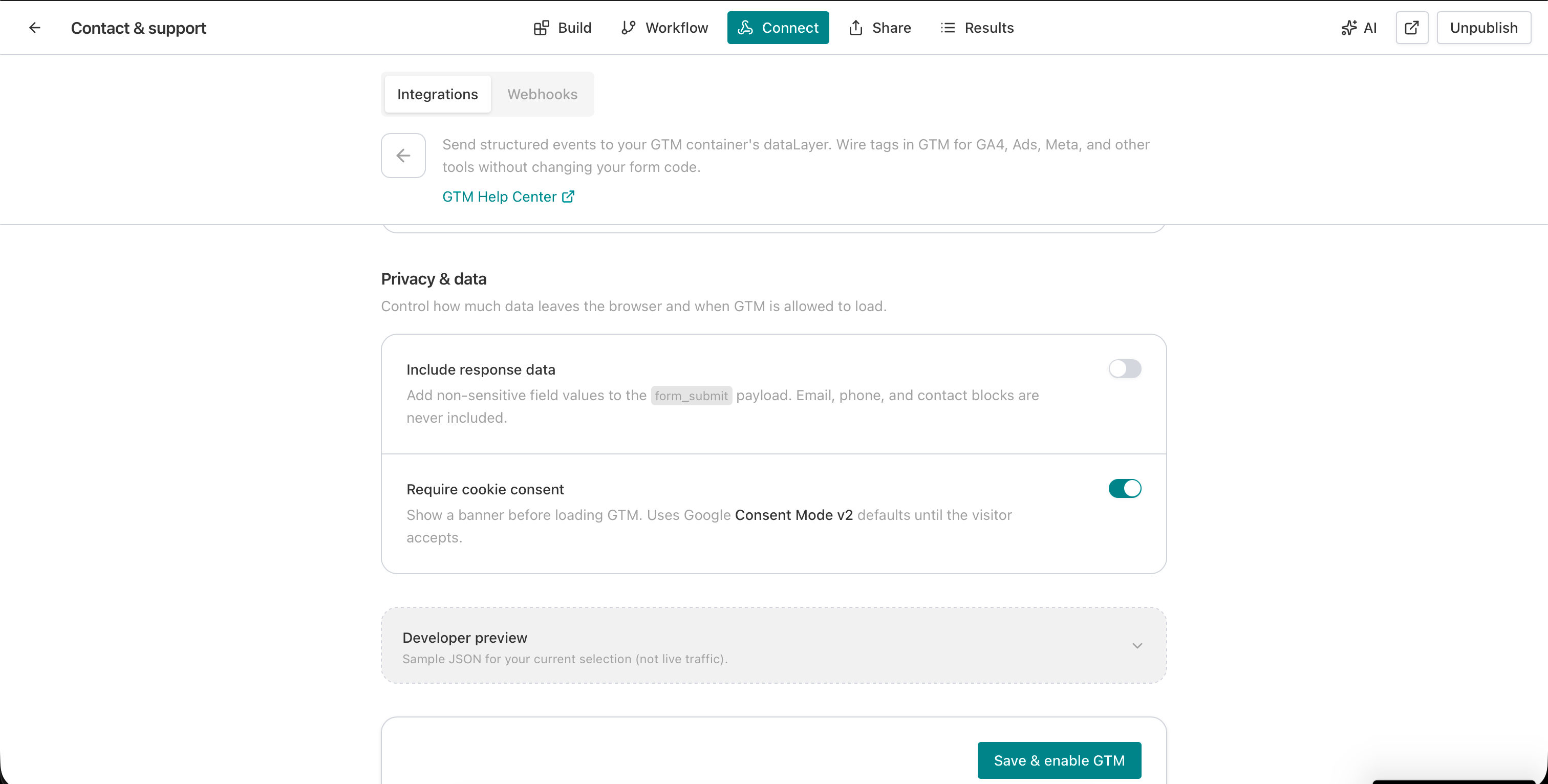
Toggle Include response data to send non-PII field values in payloads. Toggle Require cookie consent to enforce Consent Mode v2 defaults before the GTM script loads.
Click Save & enable GTM. The container snippet loads on your published form with zero code changes.
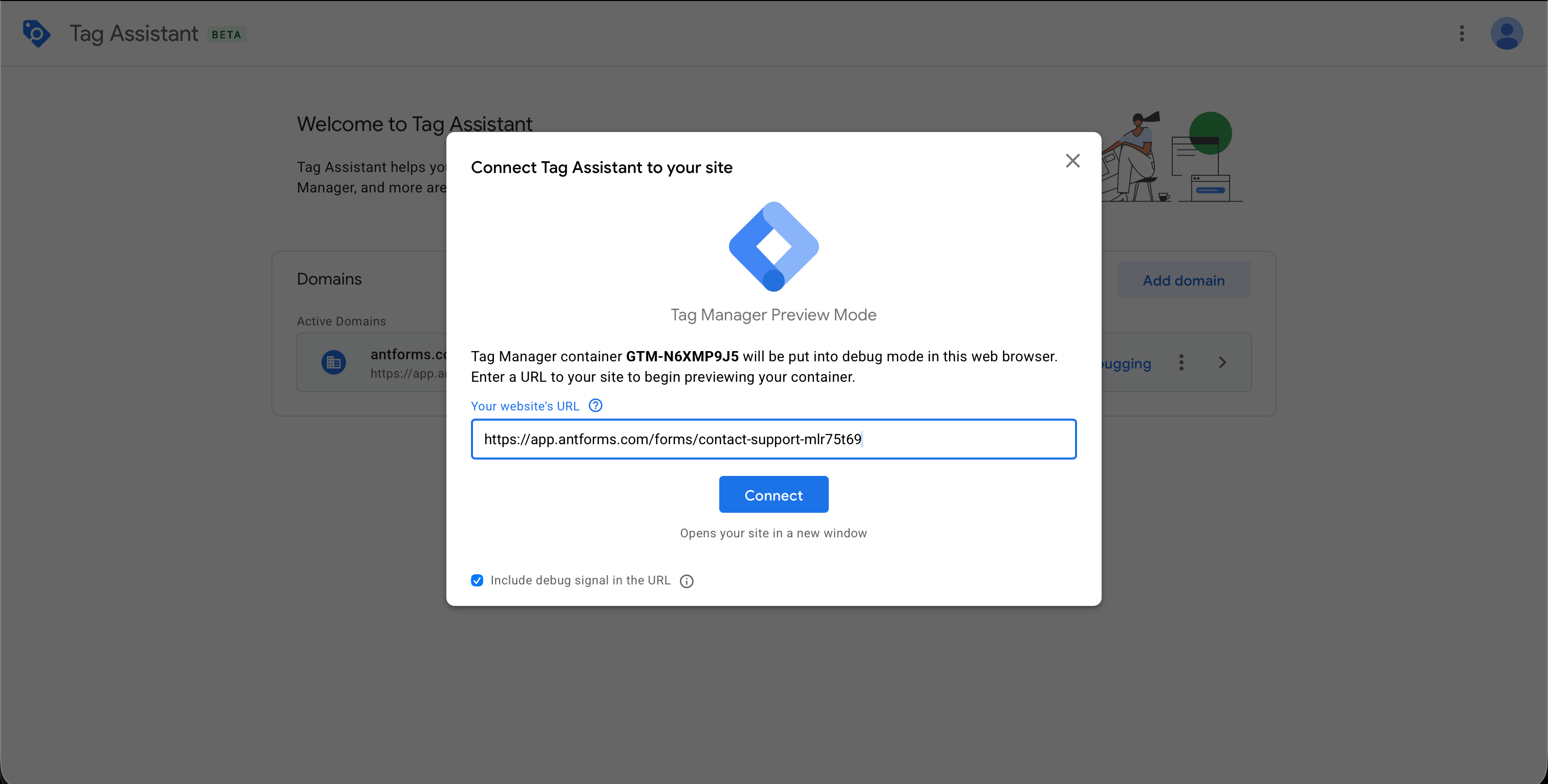
Open GTM, click Preview, enter your published form URL, and interact. Tag Assistant shows each event firing with the full dataLayer payload.
THAT’S IT · GOOGLE TAG MANAGER IS LIVE
This integration requires an AntForms Pro plan to connect - see the limitations below for exact plan details.
What the Google Tag Manager integration does not include, so you can plan around limits before they surface mid-rollout.
The ones we hear most. If yours isn’t here, tell us and we’ll add it.
Something missing? get in touch
In AntForms, open your form editor, go to Connect > Integrations, click Set up next to Google Tag Manager, paste your container ID, choose events, and click Save & enable. The GTM snippet loads on your published form with no code changes.
Seven events: form_view (page load), form_start (first interaction), form_step_change (block navigation), form_submit (completion), form_field_focus (field entry), form_field_complete (field exit), and form_abandon (leave without submitting).
Yes. AntForms fires a form_abandon event when the respondent leaves without submitting. The event includes form_id, last_step, steps_completed, and total_steps so you can see where drop-offs happen.
Yes. When Require cookie consent is enabled, AntForms pushes Consent Mode v2 defaults before loading the GTM script. A lightweight consent banner appears on the form.
Yes. Toggle Include response data to add non-PII field values to the form_submit payload. Email, phone, and contact info fields are excluded to protect PII.
Yes. AntForms sends events to the dataLayer and also posts them via postMessage to the parent window. The Share tab provides an iframe-safe event listener snippet for a Custom HTML tag in GTM.
GTM integration is available on AntForms Pro plans. The Pro plan includes GTM along with other advanced integrations.
Open GTM, click Preview, enter your published form URL, and interact with the form. Tag Assistant shows each AntForms event as it fires, with the full dataLayer payload.
Build your form free, then connect Google Tag Manager on the Pro plan in under two minutes.


